TikTok Wellbeing Feature
Role
Product Manager
Year
2023
Client
TikTok (NDA)
Platform
Mobile App / iOS & Android
Overview
A Trust & Safety product initiative focused on helping teens and families build healthier digital habits through screen-time limits, active continuation prompts, weekly usage recaps, Family Pairing controls, notification schedules, and sleep reminders. My role focused on safety risk analysis, user-behavior insights, feature evaluation, policy alignment, and translating wellbeing requirements into product improvements for a high-engagement mobile experience.
Problem & Solution
Problem
Teen users may continue scrolling without realizing how long they have been active. In a feed-based product, every interaction naturally leads to the next piece of content, which can make time awareness weak.
The existing product challenge was not only “users spend too much time.” The more specific safety problem was that users needed clearer moments to pause, understand their usage, and decide whether to continue. Parents and caregivers also needed practical tools to support conversations around digital wellbeing.
Without clear summaries, custom limits, and notification controls, screen-time management becomes reactive instead of proactive.
Solution
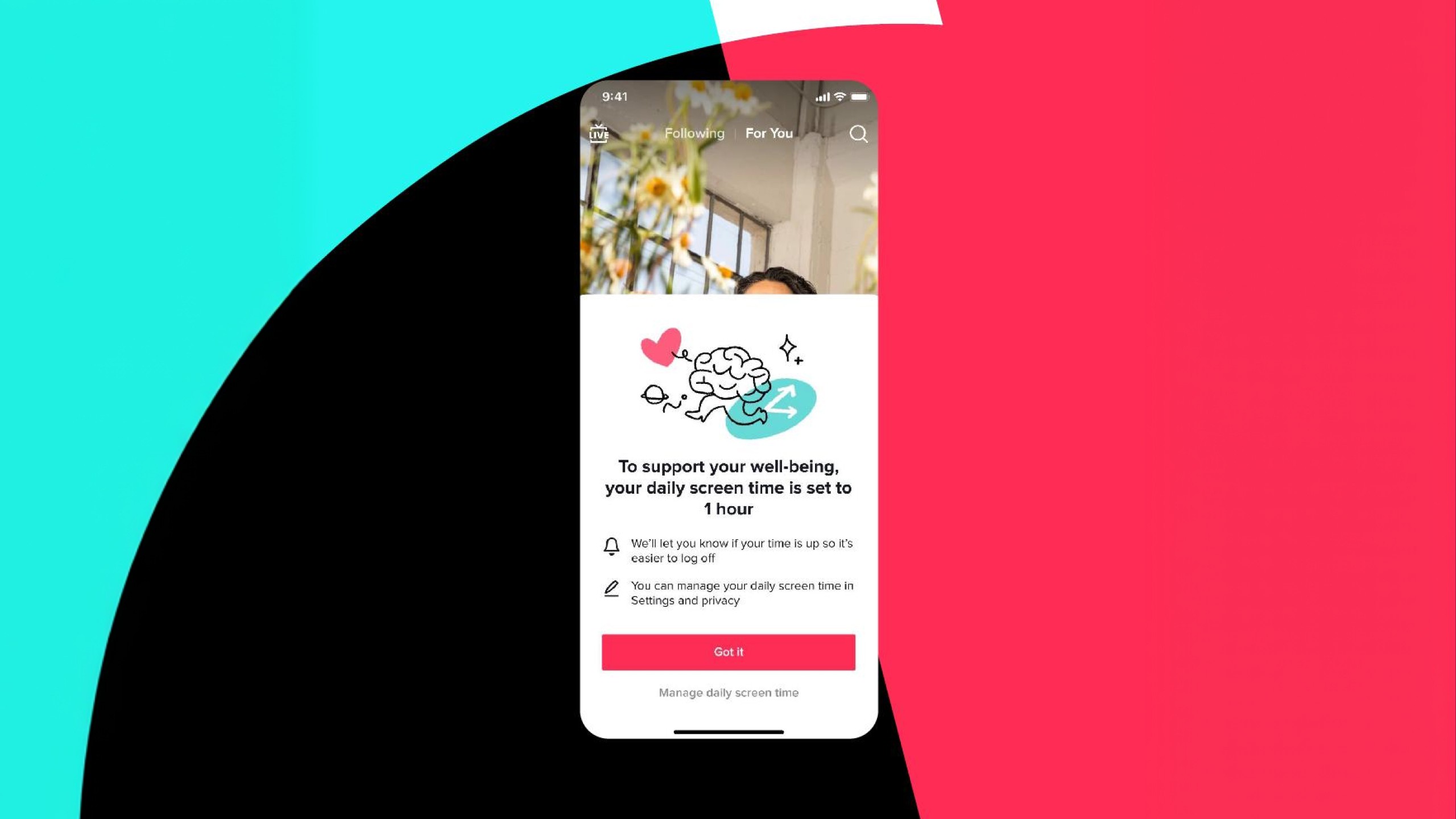
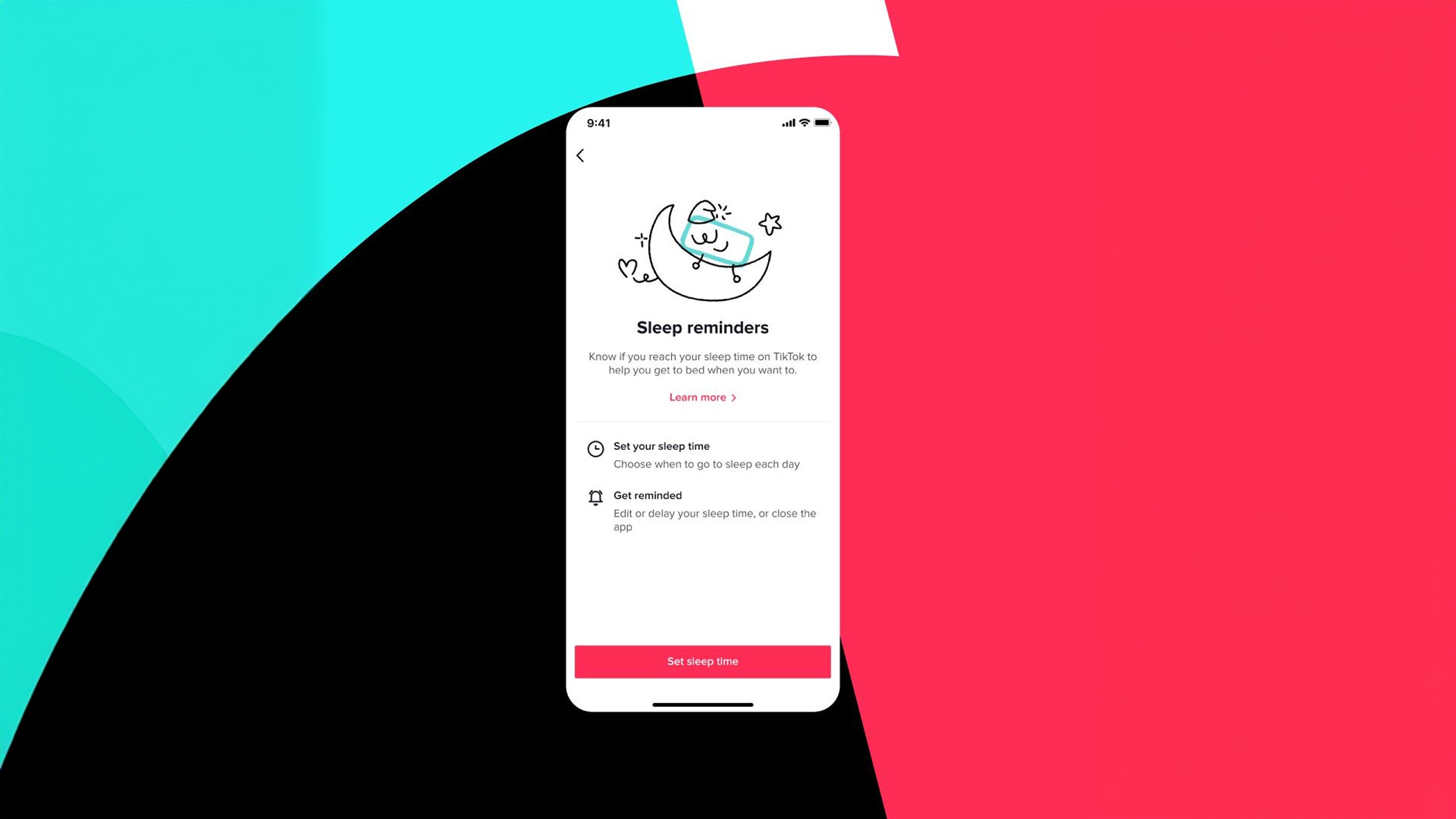
The system introduced default daily limits for teens, passcode-based continuation after reaching the limit, weekly screen-time recaps, customizable Family Pairing limits, a screen-time dashboard for caregivers, mute notification schedules, and sleep reminders. The passcode moment creates friction without fully removing user agency. Weekly recaps make usage visible. Family Pairing gives caregivers tools to support discussion. Sleep reminders and notification schedules help reduce late-night interruption. TikTok publicly stated that teens who opt out of the 60-minute default and spend more than 100 minutes in a day are prompted to set a daily screen-time limit, and that teen accounts receive weekly inbox recaps of screen time.
Key Metrics
60
Min. default daily screen-time limit for users under 18.
100+
Min. daily usage threshold that triggers a prompt for teens who opt out of the default limit.
234%
Increase in screen-time tool usage.
3
New Family Pairing controls.
1
Safety & Product Audit
Reviewed the teen wellbeing experience from a Trust & Safety perspective, focusing on where users encounter limits, reminders, recaps, and parental controls. The audit looked at whether safety tools were discoverable, understandable, and connected to real user behavior rather than hidden only inside settings.
2
Risk & User Scenario Mapping
Mapped the main safety scenarios:
Teen reaches the default screen-time limit
Teen chooses whether to continue watching
Teen opts out of the default limit
Teen exceeds 100 minutes of daily usage
Parent customizes limits for school days and weekends
Parent reviews screen-time dashboard
Parent schedules muted notifications
User sets a sleep reminder
User receives a log-off prompt at night
3
Feature Analysis
Evaluated each feature through four product questions:
Does this help users understand their behavior?
Does this create a clear next action?
Does this respect teen autonomy?
Does this support caregivers without turning the product into surveillance?
This helped separate useful wellbeing features from generic restriction mechanics.
4
Policy-to-Product Translation
Translated safety objectives into product requirements for cross-functional teams.
Examples:
A limit should not simply block usage; it should explain the moment and allow an intentional decision.
A family control should support conversation, not only enforcement.
A recap should make behavior visible without shaming the teen.
A sleep reminder should use calm language and a low-pressure interaction model.
5
Cross-Functional Alignment
Worked across product, policy, safety, research, design, engineering, and operations to align on user risks, feature behavior, escalation concerns, and product language. The PM responsibility was to make sure the product logic matched safety goals while remaining realistic for implementation and understandable for users.
6
Success Metrics Definition
Defined success through safety and product-health indicators, not only engagement.
Relevant metrics:
Adoption of screen-time tools
Completion rate for limit setup
Reduction in passive continuation after prompts
Interaction rate with weekly recaps
Family Pairing activation
Sleep reminder setup rate
Notification mute schedule usage
User comprehension of prompts
Teen and caregiver satisfaction
Support or complaint volume related to confusing controls
TikTok publicly reported that an earlier prompt encouraging teens to enable screen-time management increased use of screen-time tools by 234%, which supports the product logic that timely interventions can improve adoption of wellbeing controls.

Creating friction without making the experience feel punitive or hostile.
Making wellbeing features visible without overloading the core feed experience.
Supporting different family routines, including school days, weekends, holidays, and travel.
Aligning policy, product, research, design, engineering, and operations around one safety model.
Balancing teen autonomy with parent and caregiver involvement.
The most important lesson was that safety features work best when they create informed choice, not just restriction. A hard block may reduce risk in the moment, but a well-designed intervention can help users understand their behavior and build healthier habits over time.
I learned how much precision is needed when translating policy and wellbeing goals into product behavior. Every prompt, setting, threshold, and default has consequences. In teen safety, product decisions must balance autonomy, protection, parental support, privacy, regulatory expectations, and the emotional tone of the experience.